Which plan fits me?
Free Trial to try VozyScribe on your own recordings. Pro if you record meetings, interviews, classes, or consultations every week and want them organized by case, with summary, timeline, and important items. Stenographer for court reporters: live transcription, court exports, word index, templates, AI summary and included title and name suggestions. Legal if you are a lawyer or work at a law firm: adds the summary written for legal review and objections with their rulings, with audio files up to 8 hours each. Compare the plans.
Is my audio secure?
Yes. Audio is stored encrypted at rest in Cloudflare's object storage, and it's accessed only through signed, time-limited URLs — there's never a permanent public link to your files. Every request is checked against the account that uploaded the file, and all traffic (upload, playback, download) travels over HTTPS.
Can I protect my account with two-step verification?
Yes. In Settings you can turn on two-step verification with an authenticator app (on the web and in the mobile app) and keep recovery codes for emergencies. You can also choose to trust a device so it is not asked for the code every time, see every browser and phone signed in to your account, and end any of them.
What happens if a transcription fails?
The transcript's status shows as "Failed" along with the reason, and you can retry it with one click from your transcripts list. Retrying respects the same monthly-minutes and concurrent-job limits as a brand-new upload.
What audio formats are supported?
.mp3, .wav, .m4a, .mp4, .mpeg, .mpga, .webm, .ogg, .opus.
What are the file size and duration limits?
Up to 1 hour (3 hours on the Pro plan, 8 hours on the Legal and Stenographer plans) and 1.5 GB (2.5 GB on the Legal and Stenographer plans) per file. Both limits apply.
What AI analysis is available, and on which plan?
Summary is available on the Free Trial, Pro, Stenographer and Legal: an objective overview of what was said. On Pro and Legal you also get Timeline (the dated events mentioned, each with its quote) and Important items (decisions, agreements, tasks, deadlines, payments, meetings, and follow-ups, preserving phrases such as “next Monday” exactly as spoken). The Legal plan adds the legal workflow: the summary is written for legal review, Important items also cover stipulations and exhibits, and Objections & rulings lists each formal objection with its grounds, the other side’s reply, the judge’s response, and the ruling, recording a ruling only when the judge actually gives one. Each result is tied to a source quote and timestamp, and all of them draw on your plan’s AI credits.
Each tool uses credits based on the length of the recording: 1 credit per 45 minutes of audio per tool, rounded up. The analysis is an aid for review, not legal advice or a substitute for checking the original recording and transcript.
What are case folders and documents?
From Pro, each folder works as a case with three tabs: Audios, Documents, and Export. You can upload the case’s documents (PDF, PNG, JPG, or WebP, up to 15 MB each and 200 per folder), preview them, rename and search them, and link a document to the exact moment of a recording where it is discussed. You can also download the whole folder as a ZIP. Documents are stored for you and are not analyzed by AI, this does not use credits, and they stay until you delete them or your account.
How does priority processing work?
When several recordings are waiting to be processed, we start them in this order: Legal first, then Pro and Stenographer, then the Free Trial. The same order applies to AI analyses. It shortens the time a recording waits before we start on it; it does not make the transcription faster once it has started, and it does not change your plan’s limits (minutes, concurrent files, or file size). Waiting time depends on how busy the service is and is not guaranteed.
What is “Words to check”?
From Pro, the editor marks the words the transcription was least sure of. You listen to just those moments and mark each one as right or fix it, jump between them with the keyboard, undo an answer, and revert a fixed segment to its original wording. It does not use credits, and it points out where to listen: it does not guarantee that the words it does not mark are correct.
What is custom vocabulary?
On every plan, save up to 1,000 names, case numbers, and specialized terms so they are recognized better in future transcriptions. You can add a term while correcting a transcript or manage your saved vocabulary in Settings.
What languages does it support?
Automatic language detection, plus explicit English or Spanish if you already know which one applies.
Can I edit a transcript after it's done?
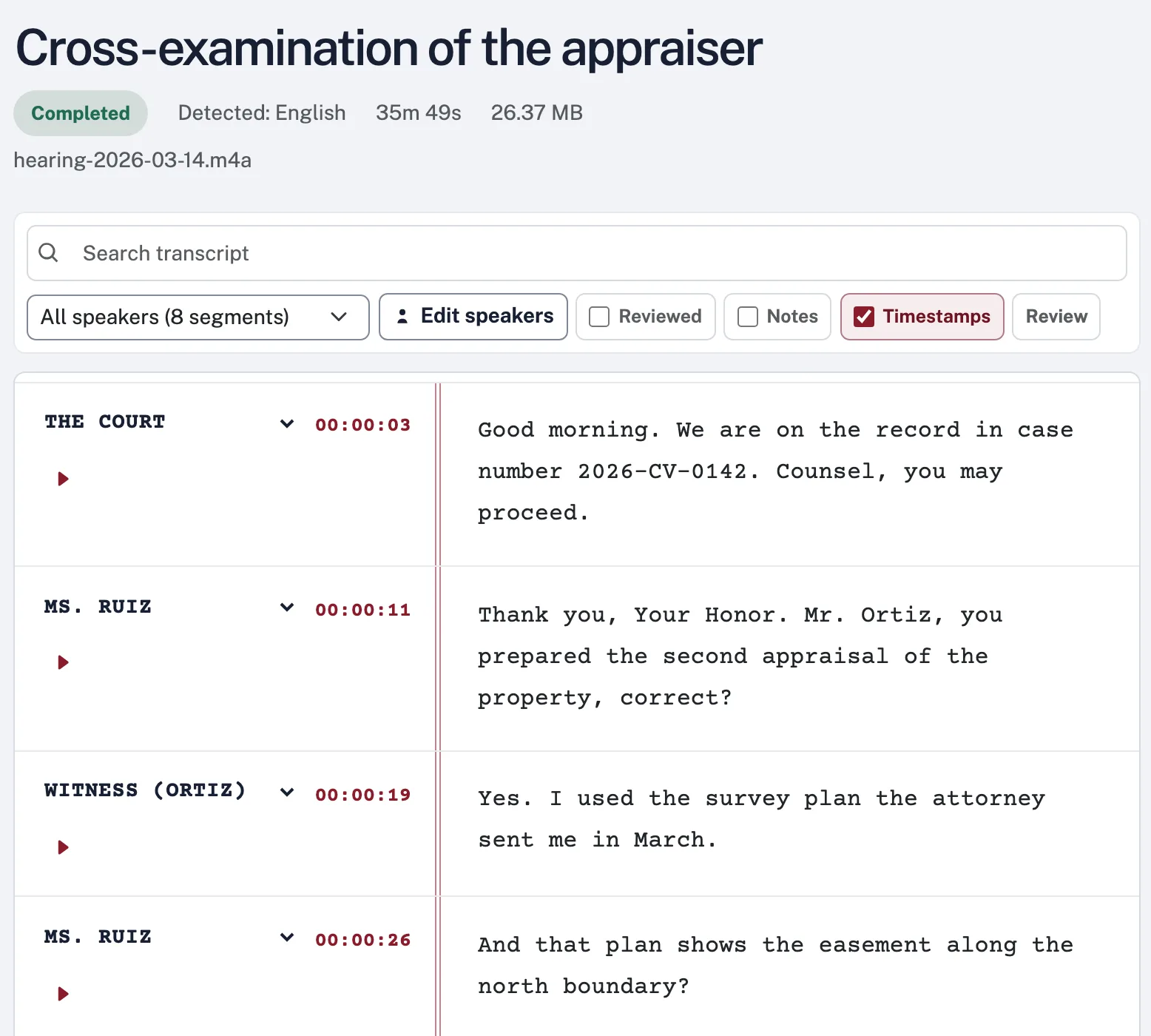
Yes — correct the text, rename or merge speakers, split a segment where a second speaker starts, and search within the transcript, all from the editor. Your changes are saved automatically a few seconds after you stop.
Can I change my name or email, or download my data?
Yes, all in Settings. You can change your name at any time, and your email address with a confirmation link sent to the new one. Download my data gives you a file with your account details, plan and purchases, usage, sign-ins, and the security log. Your transcripts are exported from the editor or your transcripts list.
What export formats are available?
Word, PDF, plain text, and subtitle files (SRT and VTT). Legal analysis results can also be exported to Word or PDF.
Does it identify who's speaking?
Yes, speaker diarization is included on every plan, including the Free Trial.
Can I change or cancel my plan anytime?
Yes, from the billing page. Upgrades can take effect immediately through Stripe. A scheduled downgrade or cancellation keeps your current plan and its benefits until the end of the already paid subscription period.
What are add-ons?
Add-ons are one-time packs of extra transcription minutes and AI credits that you can buy on top of a paid plan (Pro, Stenographer or Legal), from the billing page or in the app. Your plan’s monthly minutes and credits are always used first; an add-on is only drawn on once they run out, and by default VozyScribe asks you to confirm before an upload uses it (you can turn that off in Settings). Unlike the monthly allowance, an add-on balance does not reset each month and does not expire while your subscription is active. If your subscription ends, the balance stays on your account but can’t be used until you have a paid plan again. See Pricing for the packs available.
What happens if I run out of minutes?
On a paid plan, if a file is longer than your remaining minutes for the month, VozyScribe shows the exact first portion that can be transcribed and asks for your confirmation before processing it — the original audio stays available to play in full, while the transcript covers only that approved portion, and your minutes reset the following month. On any paid plan you can also buy an add-on for extra minutes and credits. On the Free Trial, your 60 minutes are a one-time total that does not reset — once used up, you'll need to choose a paid plan to keep transcribing. This one-time allotment applies once per account: if you've ever had a paid subscription, canceling it does not restore a fresh Free Trial allotment. Either way, transcripts you've already completed stay fully accessible.
How long is my original audio kept?
Original audio is automatically deleted after 7 days on the Free Trial, 30 days on Pro, 90 days on Stenographer, and 90 days on Legal. The period is fixed when the transcript completes, so a later plan change does not alter its scheduled deletion date. The transcript remains available until you delete it.